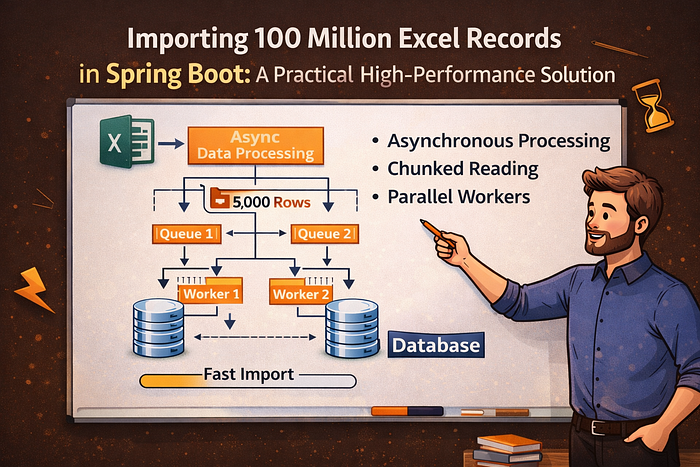

Importing 100 million records from an Excel file within the Spring Boot framework represents a classic big data batch processing scenario. This process demands careful attention to memory consumption, processing efficiency, and overall system stability. In this article, I present a realistic use case along with a detailed, production-ready solution.
Scenario Description
Consider an e-commerce platform that needs to import historical order data consisting of 100 million records into a MySQL database. Each order record includes fields such as ID, user ID, product information, amount, and order time.
Recommended Solution
1. Technology Selection
- Excel parsing — Apache POI in SXSSF mode (streaming processing) or EasyExcel (Alibaba's open-source Excel processing library).
- Batch processing framework — Spring Batch
- Database — MySQL (utilizing batch inserts)
- Parallel processing — Multi-threaded partitioned processing
- Database optimization — Disable auto-commit, temporarily disable indexes, and apply similar tuning techniques.
2. Detailed Implementation Steps
Step 1: Create the Entity Class
@Data
public class Order {
    private Long id;
    private Long userId;
    private String productInfo;
    private BigDecimal amount;
    private Date orderTime;
    // other fields...
}
Step 2: Configure Spring Batch
@Configuration
@EnableBatchProcessing
public class BatchConfig {

@Autowired
    private JobBuilderFactory jobBuilderFactory;

    @Autowired
    private StepBuilderFactory stepBuilderFactory;

    @Autowired
    private DataSource dataSource;

    @Bean
    public Job importOrderJob(Step step1) {
        return jobBuilderFactory.get("importOrderJob")
                .incrementer(new RunIdIncrementer())
                .flow(step1)
                .end()
                .build();
    }

    @Bean
    public Step step1(ItemReader<Order> reader, ItemProcessor<Order, Order> processor, ItemWriter<Order> writer) {
        return stepBuilderFactory.get("step1")
                .<Order, Order>chunk(10000) // commit every 10000 records
                .reader(reader)
                .processor(processor)
                .writer(writer)
                .taskExecutor(taskExecutor()) // enable multi-threading
                .throttleLimit(8) // number of threads
                .build();
    }

    @Bean
    public TaskExecutor taskExecutor() {
        ThreadPoolTaskExecutor executor = new ThreadPoolTaskExecutor();
        executor.setCorePoolSize(8);
        executor.setMaxPoolSize(16);
        executor.setQueueCapacity(500);
        executor.setThreadNamePrefix("order-import-");
        executor.initialize();
        return executor;
    }
}
Step 3: Implement the Excel Reader
@Component
@StepScope
public class ExcelOrderReader implements ItemReader<Order> {

private EasyExcel easyExcel;
    private AtomicInteger readCount = new AtomicInteger(0);
    private List<Order> currentBatch = new ArrayList<>();
    private int currentIndex = 0;
    private final int BATCH_SIZE = 1000; // number of records read from Excel each time

    @Value("#{jobParameters['filePath']}")
    private String filePath;

    @PostConstruct
    public void init() {
        // Use EasyExcel to read data in batches into memory
        EasyExcel.read(filePath, Order.class, new PageReadListener<Order>(dataList -> {
            currentBatch.addAll(dataList);
        })).sheet().doRead();
    }

    @Override
    public Order read() {
        if (currentIndex >= currentBatch.size()) {
            // Current batch finished, load next batch
            currentBatch.clear();
            currentIndex = 0;

            int startRow = readCount.get();
            if (startRow >= 100000000) { // all data has been read
                return null;
            }

            // Read the next batch
            EasyExcel.read(filePath)
                .sheet()
                .headRowNumber(0) // ignore header
                .beginRow(startRow)
                .pageSize(BATCH_SIZE)
                .doReadSync();

            readCount.addAndGet(BATCH_SIZE);

            if (currentBatch.isEmpty()) {
                return null; // no more data
            }
        }

        return currentBatch.get(currentIndex++);
    }
}
Step 4: Implement the Data Processor
@Component
public class OrderProcessor implements ItemProcessor<Order, Order> {

    @Override
    public Order process(Order order) {
        // Data cleaning, transformation, validation, etc. can be performed here
        if (order.getAmount() == null || order.getAmount().compareTo(BigDecimal.ZERO) < 0) {
            return null; // filter out invalid data
        }

        // Set default values, convert date formats, etc.
        if (order.getOrderTime() == null) {
            order.setOrderTime(new Date());
        }

        return order;
    }
}
Step 5: Implement the Data Writer
@Component
public class OrderWriter implements ItemWriter<Order> {

@Autowired
    private JdbcTemplate jdbcTemplate;

    @Override
    public void write(List<? extends Order> orders) throws Exception {
        if (orders.isEmpty()) {
            return;
        }

        // Use batch insert to improve performance
        String sql = "INSERT INTO orders (id, user_id, product_info, amount, order_time) VALUES (?, ?, ?, ?, ?)";

        jdbcTemplate.batchUpdate(sql, new BatchPreparedStatementSetter() {
            @Override
            public void setValues(PreparedStatement ps, int i) throws SQLException {
                Order order = orders.get(i);
                ps.setLong(1, order.getId());
                ps.setLong(2, order.getUserId());
                ps.setString(3, order.getProductInfo());
                ps.setBigDecimal(4, order.getAmount());
                ps.setTimestamp(5, new Timestamp(order.getOrderTime().getTime()));
            }

            @Override
            public int getBatchSize() {
                return orders.size();
            }
        });
    }
}
Step 6: Database Optimization
@Component
public class DatabaseOptimizer {

    @Autowired
    private JdbcTemplate jdbcTemplate;

    @BeforeStep
    public void beforeStep() {
        // Disable indexes and foreign key checks before import
        jdbcTemplate.execute("SET FOREIGN_KEY_CHECKS = 0");
        jdbcTemplate.execute("ALTER TABLE orders DISABLE KEYS");
        // Adjust MySQL settings
        jdbcTemplate.execute("SET autocommit=0");
        jdbcTemplate.execute("SET unique_checks=0");
    }

    @AfterStep
    public void afterStep() {
        // Re-enable indexes and constraints after import
        jdbcTemplate.execute("SET FOREIGN_KEY_CHECKS = 1");
        jdbcTemplate.execute("ALTER TABLE orders ENABLE KEYS");
        jdbcTemplate.execute("SET autocommit=1");
        jdbcTemplate.execute("SET unique_checks=1");
    }
}
Step 7: Controller to Trigger the Import Job
@RestController
@RequestMapping("/api/import")
public class ImportController {

    @Autowired
    private JobLauncher jobLauncher;

    @Autowired
    private Job importOrderJob;

    @PostMapping("/orders")
    public ResponseEntity<String> importOrders(@RequestParam("filePath") String filePath) {
        try {
            JobParameters jobParameters = new JobParametersBuilder()
                    .addString("filePath", filePath)
                    .addDate("time", new Date())
                    .toJobParameters();

            JobExecution execution = jobLauncher.run(importOrderJob, jobParameters);

            return ResponseEntity.ok("Import job started with ID: " + execution.getId());
        } catch (Exception e) {
            return ResponseEntity.status(HttpStatus.INTERNAL_SERVER_ERROR)
                    .body("Failed to start import job: " + e.getMessage());
        }
    }

    @GetMapping("/status/{jobId}")
    public ResponseEntity<String> getJobStatus(@PathVariable Long jobId) {
        // Implement job status query logic here
        // ...
        return ResponseEntity.ok("Job status information");
    }
}
Key Performance Optimization Points
- Data partitioning — Split the 100 million records into smaller manageable chunks.
- Multi-threaded parallelism — Leverage multiple threads to accelerate processing.
- Batch commits — Submit data in groups (e.g., 10,000 records) rather than individually.
- Streaming approach — Prevent loading the entire Excel file into memory at once.
- Database tuning — Temporarily disable indexes, foreign keys, and auto-commit during the import.
- Task monitoring — Add progress tracking and failure retry mechanisms.
This architecture effectively manages the import of 100 million Excel records while preserving system stability and achieving high performance.
🔖 Thanks for reading.
- If you enjoyed this article, please consider giving it a clap.👏
- I would appreciate hearing your thoughts in the comments below! 💭
- Follow me for ongoing learning and connection!🔔