
This Scanner That Changed Everything…
Hey hackers
I'm a passionate cybersecurity enthusiast and ethical hacker. I love solving CTFs Finding Weakness in system & vulnerabilities, while also diving into recently discovered vulnerabilities to enhance my skills.

The Scanner That Changed Everything
Here's something most bug bounty guides won't tell you upfront:
Nuclei has over 9,000+ templates maintained by a community of 100,000+ security engineers. It detected CVE-2025–1974 (Kubernetes vulnerability) before most commercial scanners. When Log4Shell (CVE-2021–44228) was announced, Nuclei had a working detection template within hours.
But here's the problem: Most hunters use Nuclei wrong.
They run:
nuclei -u <https://target.com>Get 500 results. Report everything. Wonder why 490 are marked duplicate or not applicable.
The difference between a hunter earning $200/month and one earning $5,000+/month with Nuclei? They know which templates to use, when to use them, and how to write custom ones.
This guide will show you exactly how.
What is Nuclei? (The Simple Explanation)
Press enter or click to view image in full size
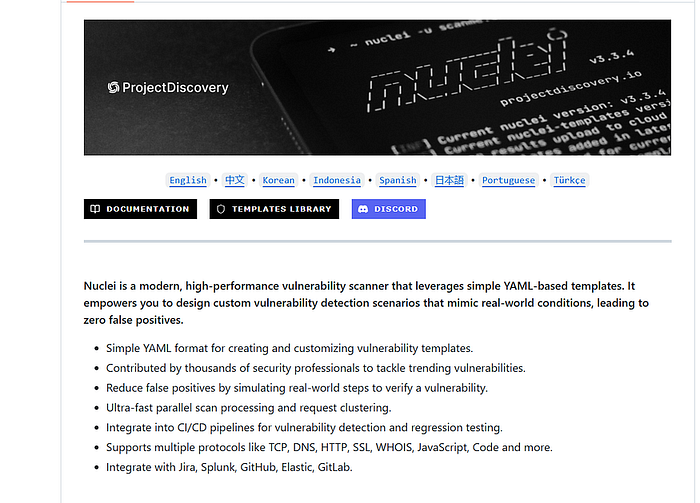
Think of Nuclei like a robot security guard with 9,000+ different checklists.
Each checklist (called a "template") checks for one specific security problem:
- Template #1: "Is admin panel accessible without login?"
- Template #2: "Can I read sensitive files?"
- Template #3: "Is there SQL injection in login form?"
You tell Nuclei: "Check this website against these 100 checklists."
Nuclei runs through all 100 checks in minutes and reports what it finds.
The technical definition:
Nuclei is a fast, template-based vulnerability scanner built by ProjectDiscovery. It uses YAML files to define how to detect specific vulnerabilities and can scan HTTP, DNS, TCP, and other protocols.
Why it matters for bug bounty:
✅ Free and open-source
✅ Community updates templates daily
✅ Can scan thousands of targets in minutes
✅ Supports custom templates (find unique bugs)
✅ Integrates with other tools easily
Installing Nuclei in 2026 (Fast, Clean, Bug Bounty Safe)
Method 1: Using Go (Recommended)
Pre-requisite: Go 1.24.2 or higher
# Install Go if you don't have it
# Ubuntu/Debian:
sudo apt update
sudo apt install golang-go
# Verify Go installation
go version
# Install Nuclei
go install -v github.com/projectdiscovery/nuclei/v3/cmd/nuclei@latest
# Add Go bin to PATH (if not already)
echo 'export PATH=$PATH:$HOME/go/bin' >> ~/.bashrc
source ~/.bashrc
# Verify installation
nuclei -version
What each command does:
go install: Downloads and compiles Nuclei from sourcev: Shows verbose output (you see what's happening)@latest: Gets the most recent versionecho 'export PATH...': Makes nuclei available from any directory
Method 2: Direct Download (No Go Required)
# Download latest release for Linux
wget <https://github.com/projectdiscovery/nuclei/releases/latest/download/nuclei_3.3.9_linux_amd64.zip>
# Extract
unzip nuclei_3.3.9_linux_amd64.zip
# Make executable
chmod +x nuclei
# Move to system path
sudo mv nuclei /usr/local/bin/
# Verify
nuclei -version
First Time Setup
# Download all community templates
nuclei -update-templates
# This downloads 9,000+ templates to:
# ~/.local/nuclei-templates/
What just happened?
You now have 9,000+ ready-to-use vulnerability checks on your system!
How Nuclei Templates Actually Work And Why Most Hunters Misuse Them:
What is a Template?
A template is like a recipe that tells Nuclei:
- Where to send requests
- What to look for in responses
- How to confirm if vulnerability exists
Example: Simple XSS Template
id: basic-xss-test
info:
  name: Basic XSS Detection
  author: yourname
  severity: medium
  description: Checks for reflected XSS
http:
  - method: GET
    path:
      - "{{BaseURL}}/?search=<script>alert(1)</script>"
    matchers:
      - type: word
        words:
          - "<script>alert(1)</script>"
        part: body
Breaking this down:
id: Unique name for this templateinfo: Details about what it doeshttp: Type of scan (can also be dns, tcp, etc.)method: GET: Send a GET requestpath: Where to send it ({{BaseURL}}= target URL)matchers: What to look for in responsewords: If response contains<script>alert(1)</script>, vulnerability found!
How this works:
- You run:
nuclei -u <https://target.com> -t basic-xss.yaml - Nuclei sends:
GET <https://target.com/?search=><script>alert(1)</script> - If response includes your payload = XSS found!
Basic Usage: Your First Scans
Scan Single Target
# Scan one website
nuclei -u <https://scanme.sh>
# What this does:
# - Loads ALL templates (9,000+)
# - Tests scanme.sh against each one
# - Reports any findings
Output explanation:
[CVE-2021-41773] [http] [critical] <https://scanme.sh/cgi-bin/.%2e/.%2e/.%2e/etc/passwd>Reading this:
[CVE-2021-41773]: Template that found it[http]: Protocol used[critical]: Severity level- URL: Where vulnerability exists
Scan Multiple Targets
# Create a file with URLs
cat > targets.txt << EOF
<https://target1.com>
<https://target2.com>
<https://target3.com>
EOF
# Scan all of them
nuclei -list targets.txt
Scan Specific Template Category
# Only scan for CVEs
nuclei -u <https://target.com> -tags cve
# Only scan for exposed panels
nuclei -u <https://target.com> -tags panel,exposure
# Only scan for critical issues
nuclei -u <https://target.com> -severity critical,high
Advanced Nuclei Filtering: How to Reduce Duplicates by 80%
Most beginners run all 9,000 templates on everything. That's wrong.
Filter by Tags
Tags group similar templates together.
# Scan for specific vulnerability types
nuclei -u <https://target.com> -tags xss,sqli,rce
# Scan for config issues
nuclei -u <https://target.com> -tags config,exposure
# Scan for known exploited vulnerabilities (KEV)
nuclei -u <https://target.com> -tags kev,vkev
Available tags:
cve: All CVE templatespanel: Admin panels, login pagesexposure: Exposed files/configsxss: Cross-site scriptingsqli: SQL injectionrce: Remote code executionlfi: Local file inclusionssrf: Server-side request forgerykev: Known exploited vulnerabilities
Filter by Technology
# Only scan WordPress sites
nuclei -u <https://target.com> -tags wordpress
# Only scan Apache servers
nuclei -u <https://target.com> -tags apache
# Only scan Joomla
nuclei -u <https://target.com> -tags joomla
Filter by Severity
# Only critical/high
nuclei -u <https://target.com> -severity critical,high
# Only medium
nuclei -u <https://target.com> -severity medium
# Everything except info level
nuclei -u <https://target.com> -severity critical,high,medium,low
Filter by Year (Secret Technique)
# Only CVEs from 2024
nuclei -u <https://target.com> -tags cve -t 'nuclei-templates/cves/2024/'
# Only CVEs from 2025
nuclei -u <https://target.com> -tags cve -t 'nuclei-templates/cves/2025/'
# Specific CVE pattern
nuclei -u <https://target.com> -t 'nuclei-templates/cves/CVE-2024-*'
Why this matters:
Recent CVEs = higher chance the target isn't patched yet.
Power User Techniques (What Top Hunters Actually Do)
Technique #1: Chain with Other Tools
Nuclei accepts input from other tools via STDIN (standard input).
Example: Subfinder + Nuclei
# Find subdomains, then scan them
subfinder -d target.com -silent | httpx -silent | nuclei -tags exposure,config
What this does:
subfinder: Finds all subdomainshttpx: Checks which ones are alivenuclei: Scans live ones for exposures
Example: FFuf + Nuclei
# Find hidden endpoints, then scan them
ffuf -u <https://target.com/FUZZ> -w wordlist.txt -mc 200 -o urls.txt
cat urls.txt | jq -r '.results[].url' | nuclei -tags xss,sqli
ffuf finds hidden endpoints → jq extracts valid URLs → nuclei scans them for XSS & SQLi 🚀
Technique #2: Custom Headers (For Bug Bounty Programs)
Many programs require you to identify your traffic.
# Add custom header to all requests
nuclei -u <https://target.com> -header "User-Agent: BugBounty-Hunter-YourName"
# Multiple headers
nuclei -u <https://target.com> \\
  -header "User-Agent: BugBounty-YourName" \\
  -header "X-Bug-Bounty: YourEmail@example.com"
Technique #3: Rate Limiting (Avoid Getting Blocked)
# Limit to 10 requests per second
nuclei -u <https://target.com> -rate-limit 10
# Limit concurrent templates (less aggressive)
nuclei -u <https://target.com> -bulk-size 10 -concurrency 5
Explanation:
rate-limit 10: Max 10 requests/secondbulk-size 10: Process 10 templates at onceconcurrency 5: Max 5 parallel connections
Technique #4: Save Results Properly
# Save to text file
nuclei -u <https://target.com> -o results.txt
# Save as JSON (better for parsing)
nuclei -u <https://target.com> -json -o results.json
# Save markdown report
nuclei -u <https://target.com> -markdown-export report.md
Technique #5: Exclude Templates (Reduce False Positives)
# Exclude informational findings
nuclei -u <https://target.com> -exclude-severity info
# Exclude specific templates
nuclei -u <https://target.com> -exclude-templates dns/,ssl/
# Exclude tags
nuclei -u <https://target.com> -exclude-tags fuzz,fuzzing
There to many techniques so, I created a complete guide on this techniques..
Tap Here:Link for Guide
thankyou for reading..