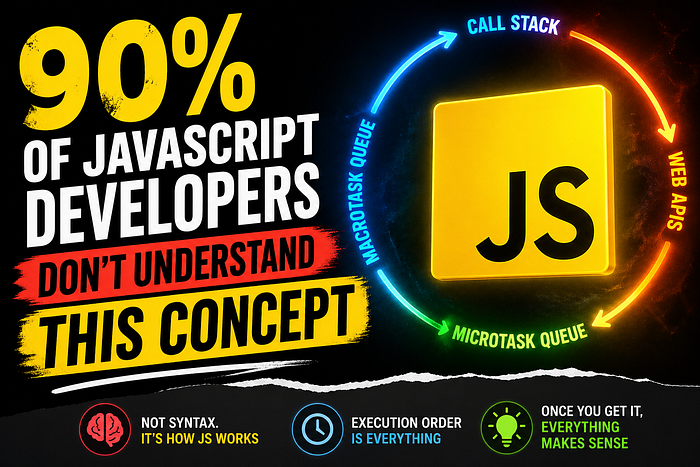


They don't.
They know syntax. They know frameworks. They know how to ship features.
But when things break under load, when async bugs appear out of nowhere, when "random" delays happen in production…
They are guessing.
And the real culprit is almost always the same.
They never truly understood the event loop.
Not superficially. Not blog-post level.
Actually understood it.
And it shows.
Because once you understand it, you stop writing chaotic async code.
You stop fighting JavaScript.
And suddenly, things that felt "random" become predictable.
Let's fix that.
1. You Don't Actually Understand JavaScript Until You Understand Its Execution Model
Most developers think JavaScript runs code line by line.
That's the first lie.
Then they learn it is "single-threaded".
Second lie.
Then they learn about async, promises, callbacks, and setTimeout.
Now it gets confusing.
So they memorize rules instead of understanding the system.
Real scenario:
You write this:
console.log("A");

setTimeout(() => {
  console.log("B");
}, 0);

console.log("C");
And you think:
"A, B, C… right?"
Wrong.
It prints:
A C B
And you accept it like magic.
That "acceptance" is the problem.
Because nothing in JavaScript is magic.
It is a queue system.
And if you don't understand the queues, you don't understand JavaScript.
2. The Event Loop Is Not a Feature, It Is the Entire Engine
Here's the uncomfortable truth:
The event loop is not "a topic in JavaScript".
It is JavaScript.
Everything depends on it:
- DOM events
- API calls
- timers
- promises
- rendering behavior
If you misunderstand it, everything else is fragile.
Real scenario:
You build a frontend app.
Sometimes, state updates "lag".
Sometimes API responses arrive in an unexpected order.
Sometimes UI updates feel inconsistent.
So you blame:
- React
- network
- backend
- browser
But the real issue is simple.
You don't understand execution order.
Why it's a problem
You debug symptoms instead of structure.
You waste hours chasing ghosts that are actually queue behavior.
3. JavaScript Has Two Queues, Not One
This is where most developers start to fail.
JavaScript does not just run code.
It schedules it.
There are two main queues:
- Macrotask queue
- Microtask queue
And their order matters more than anything else.
Real scenario:
console.log("Start");

setTimeout(() => console.log("Timeout"), 0);

Promise.resolve().then(() => console.log("Promise"));

console.log("End");
Output:
Start End Promise Timeout
And most developers get this wrong.
They think: "0ms timeout should run immediately."
No.
It goes into the macrotask queue.
Promises go into microtasks, which run first.
Why it's a problem
If you don't understand this:
- Async behavior feels inconsistent
- UI updates feel unpredictable
- Debugging becomes guesswork
4. Microtasks Always Win, and That Changes Everything
Here's the rule most developers never internalize:
After every synchronous block, JavaScript clears microtasks first.
Always.
No exceptions.
Real scenario:
You fetch data and update UI:
fetch("/api/data")
  .then(() => console.log("API done"));

Promise.resolve().then(() => console.log("Promise"));
console.log("Sync");
Output:
Sync Promise API done
Now imagine building complex async flows without knowing this.
You are basically guessing execution order.
Why it's a problem
You think async code runs "when ready".
It doesn't.
It runs in a strict priority system.
And ignorance of that system leads to race conditions.
5. "Async/Await" Did Not Simplify JavaScript; It Hid the Complexity
This is controversial but true.
Async/await made JavaScript easier to read.
But harder to understand.
Real scenario:
async function test() {
  console.log("A");

await Promise.resolve();
  console.log("B");
}

test();

console.log("C");
Output:
A C B
And developers memorize this instead of understanding it.
They stop thinking in terms of:
- microtasks
- scheduling
- execution cycles
They think: "await means pause."
It does not.
It means: "Schedule continuation in microtask queue."
Why it's a problem
You lose mental visibility of the execution flow.
And once that happens, async bugs feel random.
They are not random.
They are scheduled.
6. setTimeout(0) is not immediate; it is delayed by Design
This is one of the most misunderstood behaviors in JavaScript.
Developers assume:
"0ms means run immediately after the current code."
No.
It means: "run after current call stack AND all microtasks are complete."
Real scenario:
You try to defer execution:
setTimeout(() => {
  console.log("Later");
}, 0);
You think it runs next.
But it runs after:
- synchronous code
- promise callbacks
- all microtasks
Why it's a problem
People use setTimeout as a "fix" for timing issues.
But they don't understand what they are actually doing.
They are not forcing immediacy.
They are pushing work to the next macrotask cycle.
7. The Call Stack Is Simple, Until You Ignore It
Everything in JavaScript starts with the call stack.
Not frameworks.
Not async behavior.
The stack.
Real scenario:
You call a function that calls another function that triggers async behavior.
But developers mentally flatten it.
They stop tracking stack depth.
Then they wonder:
- Why order changes
- Why logs appear unexpectedly
- Why state updates feel out of sync
Why it's a problem
You cannot understand async without understanding sync execution first.
The event loop is not a replacement for the call stack.
It depends on it.
8. Most "Race Conditions" Are Just Queue Misunderstandings
Let's kill a myth.
Most race conditions in JavaScript are not real concurrency issues.
There are ordering issues.
Real scenario:
Two API calls:
- Request A
- Request B
B finishes first.
But A updates the state last.
So UI shows wrong data.
Developers say: "We have a race condition."
No.
You have no control over completion order.
Why it's a problem
You assume order based on initiation, not completion.
And JavaScript does not guarantee execution order for async tasks.
9. Rendering Happens Between Event Loop Cycles, Not Inside Your Code
This is where frontend developers suffer the most.
You think: "My code updates UI instantly."
It does not.
Rendering happens:
- after JavaScript finishes a cycle
- between macrotasks
- after microtasks are cleared
Real scenario:
You update the state multiple times in a function.
You expect multiple renders.
You get one.
Then you get confused.
Why it's a problem
You don't understand when the browser is allowed to paint.
So you build incorrect mental models of UI updates.
10. Once You Understand the Event Loop, Debugging Becomes Predictive
This is the real payoff.
Before understanding it:
- bugs feel random
- Async flows feel unpredictable
- logs appear "out of order."
After understanding it:
- execution becomes predictable
- async bugs become explainable
- Timing issues become structural
Real scenario:
You see a bug and immediately think:
"Microtask is interfering here."
Or:
"This is a macrotask scheduling issue."
Or:
"This is a rendering cycle problem."
You stop guessing.
You start reasoning.
11. The Real Reason 90% of Developers Miss This
It's not complexity.
The event loop is simple.
The problem is abstraction.
Modern JavaScript hides it behind:
- frameworks
- async/await
- state managers
- build tools
So developers:
- Never observed raw behavior
- Never trace execution manually
- Never build mental timing models
They learn APIs instead of systems.
Why it's a problem
You become dependent on tools to understand behavior.
Remove the tool, and everything breaks.
Final Thoughts
JavaScript is not chaotic.
It is extremely structured.
But that structure is invisible if you never learn the event loop properly.
Most developers don't struggle with JavaScript syntax.
They struggle with execution timing.
And until that is fixed, async code will always feel unreliable.
The event loop is not an advanced topic.
It is the foundation.
And if you don't understand it, you are not really writing JavaScript.
You are just hoping it behaves the way you expect.
If this hit you, share it with someone still blaming "random async bugs".
Follow for more no-BS developer insights.
What's the most confusing JavaScript behavior you've ever debugged?