


Read for Freee.ee.e
🐺Hunters,
I hope my write-ups are helpful in your Bug Bounty journey to get some bugs while maintaining simplicity and easy to understand theme.
One Good Thing
I really love to share this finding of mine, especially for beginners. The good thing about this write-up is I have every single result saved so I've attached every screenshot of my work.
- Kindly take a look at every image I've attached.
If you really love this article, as a token of appreciation you can send me:
50 claps, a comment and share everywhere.
Introduction
I found this bug back in December 2024, that time I don't have much idea about finding vulnerabilities and different kind of recon techniques. Most of the time all I do is Directory Enumeration and Fuzzing.
I started hunting on my favourite shopping website for any kind of bug like informational or low severity bugs.
Attack Surface
I started subdomain collection with a tool named as subdominator, I really love this tool when it comes finding subdomains:
subdominator -d target.com | anew subdominatorSubs.txtIn couple of minutes, I have more than 50 subdomains for my target and next thing I want to look at the waybackurls data of all these subdomains:
cat subdominatorSubs.txt | anew waybackSubs.txtNow, I have to get all the live subdomains from this subdomains list using HTTPX tool:
cat subdominatorSubs.txt | httpx -sc | anew subdominatorCodes.txtNow I have all subdomains with their status-code like 200 OK for live, 403 Forbidden and 404 Not Found.
As waybackurls is taking more time, I started with basic Google Dorking on my target but there was nothing interesting for me there, by the way you can read have Google Dorks for quick bugs on your target:
After all these things done, I check my subdominatorCodes.txt file for alive subdomains and there are literally just 15 subdomains alive for me, which includes developer, api, jobs and partner based subdomains which looks intersting to me.
Finally, I selected developer.target.com for my hunting.
Hunt Begins
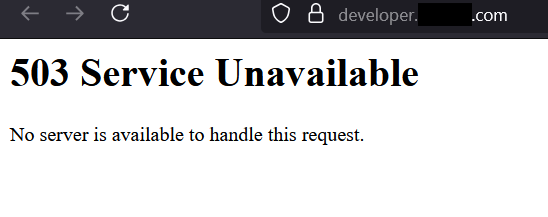
I started by manually opening developer.target.com in my browser and there is 503 Service Unavailable Page staring at me, as you can see in the image below:
If you ask me "What are you going to do with this subdomain ?" Believe me, I don't have any idea for this.
So, I started directory enumeration using dirsearch as my usual command:
dirsearch -u https://developer.target.com -f -F -x 403 -t 15All I want a 200 OK directory or any exposed sensitive file using this dirsearch command.
While dirsearch started working, I opened a new terminal for a quick look at this subdomain in waybackurls data to get any kind of information on this subdomain.
Above dirsearch command retruns No Result.
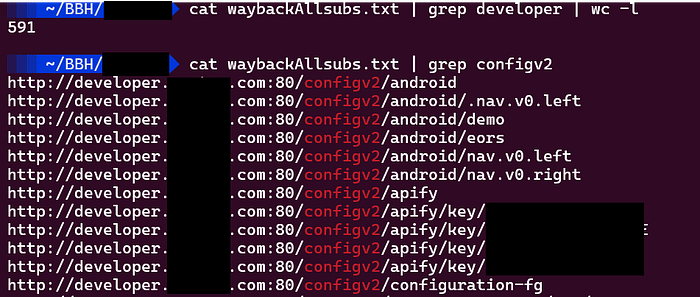
In waybackurls results there are many directories and files for developer.target.com but all are returning same 503 Service Unavialable Page but one directory looks interesting to me, called /configv2 which also returns 503 Page, take a look at image below for better understanding.
Without a second thought, I started with diresearch again with same command on /configv2 directory:
dirsearch -u https://developer.target.com/configv2 -f -F -x 403,404 -t 3If you ask me, "Why did you choose this configv2 directory?"
It's complete random directory without any kind of hope to get any bug.
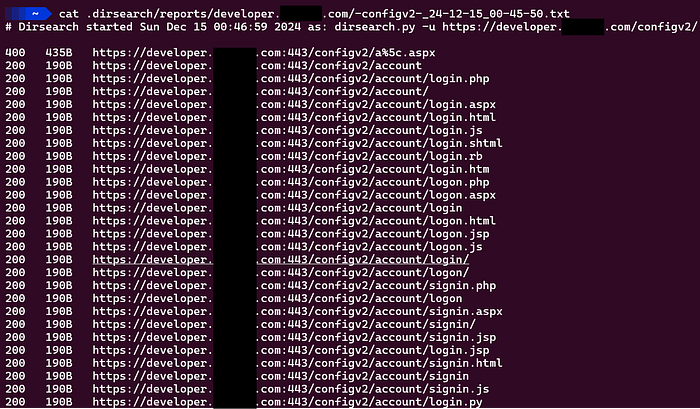
After some time, I saw there are many directories and loging pages and other intersting things in dirsearch output which returns with 200 OK status code see the image below:
Mr. Fuzzer
I didn't click a single directory from dirsearch result, instead I quickly changed the wordlist from default dirsearch wordlist to seclist:
dirsearch -u https://developer.target.com -w /usr/share/seclists/Discovery/Web-Content/raft-medium-directories.txt -f -t 15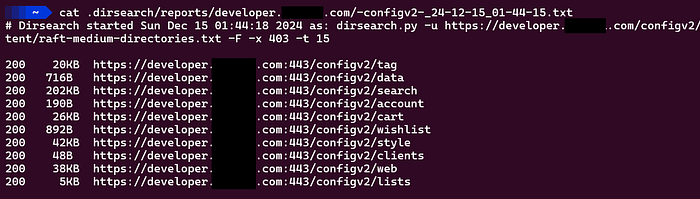
As you can see, I get very less and not interesting directories with seclists medium directory wordlist.
But my mind still says, give another chance to FUZZing, and I did. This time with seclists large directory wordlist.
dirsearch -u https://developer.target.com -w /usr/share/seclists/Discovery/Web-Content/raft-large-directories.txt -f -x 403 -t 15After half hour of enumeration, dirsearch completed with many directories having 200 OK, I opened many files they contains json based data like api keys and many things:
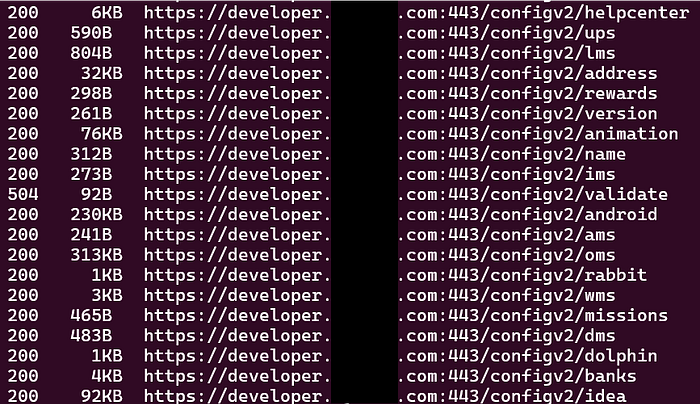
But I noticed one directory called /rabbit which looks interesting to me and It is.
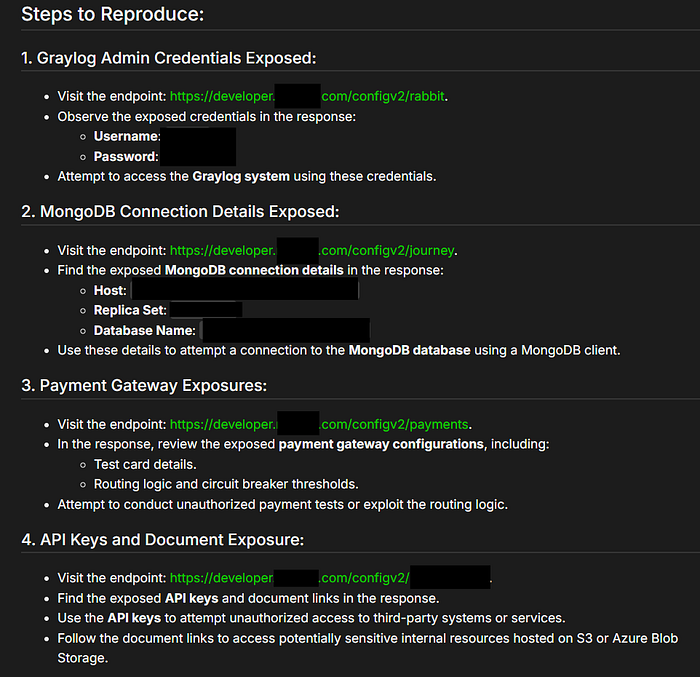
Inside rabbit directory, I got the developer credenitals, other directories have MongoDB Host, Replicate Set, Database Name exposed and API keys.
I am including my Steps to Reproduce this bug screenshot here for you:
Report
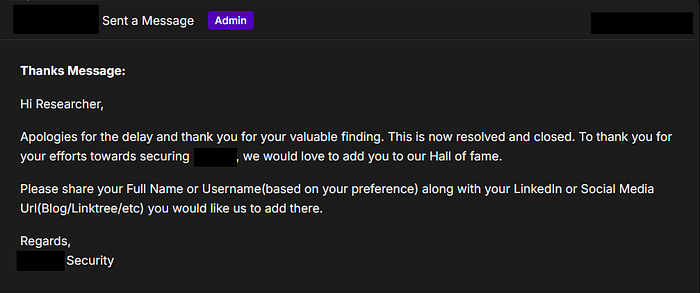
I reported this bug using their Bug Bounty Program but the subdomain is out of scope, so I ended up gettting a place in their Hall of Fame.
Enjoyed the read? Let's connect — I share more insights, bugs, and write-ups on